Why Monitor Local Reviews From One Central Dashboard?
You're wasting 15–20 minutes per location manually checking reviews across multiple platforms when a centralised dashboard cuts that down to just 2–3 minutes. For a business with 10 locations, that's the difference between spending 25–30 hours monthly versus 3–5 hours. A single dashboard eliminates constant logging in and out of Google, Yelp, Facebook, and industry-specific sites while providing real-time alerts for negative reviews so you can respond within 15 minutes. The insights below reveal how this approach transforms customer feedback management.
Key Points
Reduces monitoring time from 15–20 minutes to 2–3 minutes per location by eliminating repetitive logins across multiple platforms.
Provides real-time alerts for negative reviews within 15 minutes, enabling rapid response to protect brand reputation.
Identifies operational patterns and service gaps across all locations through unified analytics and trend analysis.
Saves 20–25 hours monthly for businesses with 10 locations by centralising review management workflows.
Enables team collaboration with shared access, response templates, and actionable insights from a single interface.
What Is a Review Monitoring Dashboard?
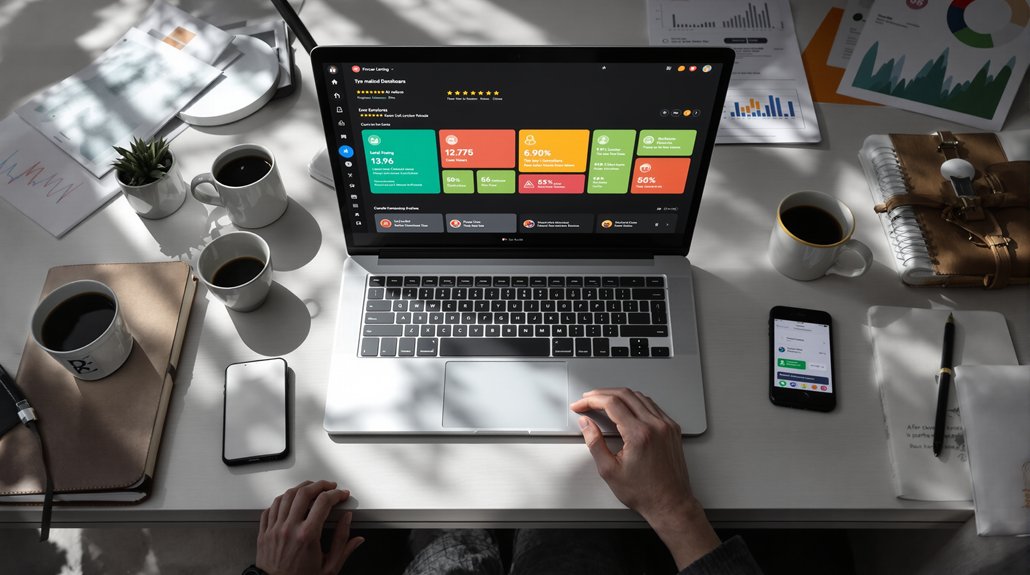
A review monitoring dashboard is a centralised platform that collects and displays customer reviews from multiple sources in one place.
Instead of juggling between Google, Yelp, Facebook, and other review sites, you'll access everything through a single interface.
This tool empowers you to track sentiment, respond quickly, and spot patterns across all your locations.
You'll break free from tedious manual checking and fragmented data.
The dashboard automatically aggregates reviews, alerts you to new feedback, and provides analytics that reveal what customers truly think.
You're no longer trapped in scattered workflows—you're in control of your online reputation.
How Dashboards Save Hours vs. Manual Review Checking
Understanding what a review monitoring dashboard is only scratches the surface—the real value emerges when you compare it to manual review checking. You'll reclaim your time and break free from tedious busywork.
TaskManual CheckingDashboardTime per location15–20 minutes2–3 minutesMultiple platformsLog in/out repeatedlyOne unified viewMonthly hours (10 locations)25–30 hours3–5 hours
Stop wasting hours jumping between Google, Yelp, and Facebook. Dashboards consolidate everything instantly, letting you focus on growth instead of data hunting. You'll respond faster and escape the monotonous cycle.
Essential Review Sites Your Dashboard Must Monitor
Your review monitoring dashboard isn't complete unless it tracks the platforms where your customers actually leave feedback.
You'll need to prioritise major sites like Google Business Profile, Yelp, and Facebook, but don't stop there—certain industries require specialised platforms that generic dashboards often miss.
A healthcare practice needs Healthgrades and Essential integration, while restaurants can't ignore OpenTable and TripAdvisor reviews.
Major Platform Coverage Priorities
When building your review monitoring dashboard, Google Business Profile should anchor your platform priorities since it directly influences local search rankings and appears prominently in Google Maps results.
You'll need Facebook for social proof and Yelp for service-based businesses. Industry-specific platforms matter too—TripAdvisor for hospitality, Healthgrades for medical practices, Avvo for legal services.
Don't overlook Trustpilot and Better Business Bureau; they build credibility across sectors.
Focus on platforms where your customers actually leave feedback rather than spreading yourself thin across every possible site. Track what moves your business forward, not what wastes your time.
Industry-Specific Site Integration
Beyond the universal review platforms, each industry faces unique reputation touchpoints that require dedicated monitoring. Healthcare providers can't ignore Healthgrades or Essentials. Restaurants must track OpenTable and Zomato feedback.
Hotels need TripAdvisor integration. Legal professionals should monitor Avvo and Martindale-Hubbell. Automotive businesses require DealerRater oversight.
Your dashboard must aggregate these specialised platforms alongside mainstream sites. You'll break free from toggling between twelve different logins daily.
Industry-specific reviews often carry more weight with your target audience than generic platforms. They're where informed customers research before choosing you.
Consolidating everything into one interface gives you complete visibility without the chaos.
Real-Time Alerts Catch Negative Reviews Before They Spread
As negative reviews gain visibility within hours rather than days, real-time alerts function as your early warning system. You'll intercept complaints before they influence potential customers, giving you control over your reputation's trajectory.
Alert TypeResponse WindowNegative review posted15 minutesRating drop detected30 minutesCompetitor mention1 hourTrending complaint2 hoursReview velocity spike4 hours
Speed determines damage control effectiveness. When you're notified instantly, you can respond authentically, resolve issues publicly, and demonstrate accountability. This transforms critics into advocates while prospects witness your commitment.
Multi-Location Dashboards Reveal Patterns Across Properties
When you're managing multiple properties, a centralised dashboard transforms scattered review data into actionable intelligence.
You'll quickly identify which locations consistently struggle with cleanliness while others excel at customer service, revealing training needs and best practices worth replicating.
Regional performance comparisons and trend analysis help you catch issues like slow check-ins or outdated amenities before they become widespread problems.
Identify Recurring Service Gaps
Multi-location dashboards transform scattered customer feedback into a strategic advantage by surfacing patterns you'd never spot reviewing properties one by one.
When three locations mention slow check-in processes, you've identified a systemic issue requiring immediate protocol changes. You'll catch training gaps before they spread, address vendor problems affecting multiple sites, and recognise amenity shortfalls demanding corporate attention.
This bird's-eye view liberates you from reactive firefighting. Instead, you're implementing proactive solutions that elevate every property simultaneously.
You're not just fixing complaints—you're eliminating root causes that prevent your brand from reaching its full potential.
Compare Performance By Region
Beyond identifying operational gaps, geographic comparisons reveal which regions dominate your portfolio and which underperform.
You'll spot regional managers who consistently deliver exceptional experiences versus those who need support. This visibility breaks down information silos that keep you guessing about performance variations.
Compare star ratings, response times, and complaint patterns across territories simultaneously.
You'll discover whether poor reviews cluster in specific areas due to staffing issues, training deficiencies, or market-specific challenges.
This intelligence lets you allocate resources strategically, replicate successful practices, and address regional weaknesses before they damage your brand's reputation across multiple locations.
Spot Emerging Trend Signals
Individual location reviews might seem random, but multi-location dashboards transform scattered feedback into recognisable patterns.
You'll break free from reactive management when you identify trends before they escalate into brand-wide issues.
Service inconsistencies emerge clearly – spot training gaps when multiple locations receive similar complaints about checkout processes or staff knowledge
Product quality signals surface faster – detect supply chain problems affecting several properties simultaneously
Seasonal preferences reveal opportunities – understand regional demand shifts to customise offerings and maximise revenue
You're no longer blindly reacting to individual complaints.
You're steering strategically with thorough intelligence.
Dashboard Features That Actually Matter for Local Businesses
When you're juggling customer feedback across multiple platforms, you need a dashboard that cuts through the noise rather than adding to it.
Look for real-time alerts that notify you the moment reviews appear—waiting hours defeats the purpose. You'll want customisable filters that let you sort by rating, platform, or keyword instantly.
Sentiment analysis saves you from reading every word while still catching problems. Response templates speed up replies without sounding robotic. Multi-user access lets your team tackle reviews together.
Skip dashboards loaded with vanity metrics. Focus on tools that help you act fast and move forward.
How to Compare Review Dashboard Pricing and Plans
Pricing structures for review dashboards vary wildly, so you'll need to decode what you're actually getting at each tier.
Don't let fancy packages trap you into paying for features you won't use.
Skip the bloated packages—pay only for the review dashboard features you'll actually use, not vendor upsells.
Key pricing factors to evaluate:
Per-location fees – Some platforms charge per business location, which quickly adds up if you're managing multiple sites.
Review volume limits – Watch for caps on monthly review monitoring that'll restrict your growth.
Essential vs. premium features – Determine if core monitoring tools are locked behind expensive enterprise plans.
You deserve transparent pricing that scales with your actual needs, not inflated bundles designed to maximise vendor profits.
FAQs
Can Review Monitoring Dashboards Integrate With My Existing CRM or Marketing Tools?
Yes, you'll find most review monitoring dashboards seamlessly integrate with popular CRM and marketing platforms through APIs or native connections. This integration lets you automate workflows, sync customer data, and centralise your entire feedback management process effortlessly.
What Happens to Old Reviews When Switching to a New Dashboard Platform?
Your old reviews remain on their original platforms—Google, Yelp, Facebook, etc. The new dashboard simply pulls them in through API connections, so you'll retain complete access to your historical review data without losing anything.
Do Dashboards Help Generate More Positive Reviews or Just Monitor Existing Ones?
Dashboards do both—they monitor existing reviews and help you generate more positive ones. You'll find tools like automated review requests, response templates, and customer follow-ups that actively encourage satisfied customers to share their experiences online.
How Long Does It Typically Take to Set up a Dashboard?
Most dashboards launch in 15–30 minutes. Sarah's boutique connected Google, Yelp, and Facebook in under 20 minutes—freeing her from endless tab-switching. You'll escape review chaos fast and reclaim hours weekly.
Can Multiple Team Members Access the Dashboard With Different Permission Levels?
Yes, you'll have full control over team access. You can assign different permission levels to each member, ensuring everyone has the appropriate access they need while protecting sensitive data and maintaining security across your dashboard.